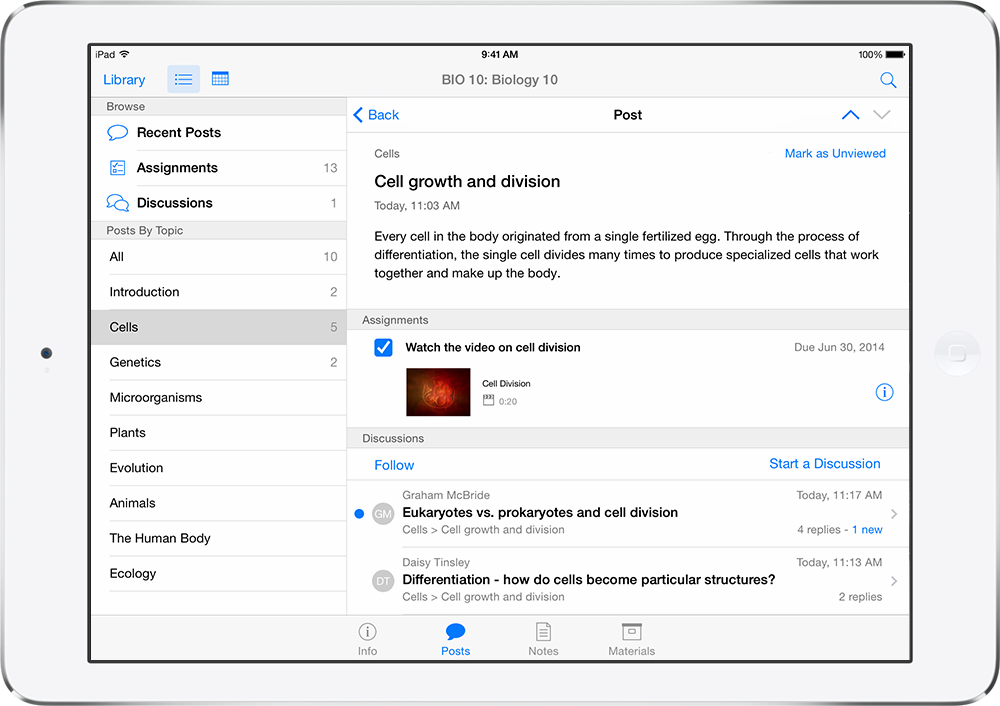
Apple released a big update to its iTunes U app for iPhone, iPad and iPod touch. The app focuses on some nice enhancements for both students and teachers.
iTunes U is available for free in the App Store.
New Features in Version 2.0
Let the discussion begin
- The new iTunes U makes it simple for students participating in private courses to pose questions on the course or any post or assignment
- Other students in the class can jump into the discussion and ask more questions or provide answers
- Teachers and students can keep up with the conversation when they receive push notifications as the discussion progresses
Create courses on iPad
- Teachers can now create and update their courses using the iTunes U app on their iPad—getting started is fast, simple, and completely free
- Provide every student a course outline, write posts, distribute assignments, upload class materials, easily track participating students, and much more
- Take advantage of the built in camera on iPad to easily capture photos or videos and upload them for course assignments
- Create materials using Pages, Numbers, and Keynote—or other apps from the App Store—and add them to your course by using “Open in iTunes U” from within each app
- Teachers affiliated with qualified institutions have the option to publish their courses to the iTunes U Catalog—making them available to everyone for free